crypto-trading-bot
Cryptocurrency trading bot in javascript for Bitfinex, Bitmex, Binance, Bybit ... (public edition)
System Structure
저장소별 전략/실행 조건 확인 필요
거래소 API 기반 자동 주문 실행
Editor Summary저장소 설명과 공개 메타데이터 기준으로 암호화폐 거래 봇, TradingView 웹훅, 그리드/DCA, 기술적 분석 성격의 프로젝트로 파악했습니다. 확인 근거는 README, 저장소 토픽, 저장소 설명, GitHub 지표, 파이프라인 필드이며, 주요 데이터는 Binance, Bybit, Coinbase, Bitfinex, BitMEX, OHLCV/호가/체결 데이터입니다. 전략/실행 조건은 저장소별 문서와 코드 확인이 필요하며, 실행 방식은 "거래소 API 기반 자동 주문 실행"라고 보수적으로 기록했습니다. GitHub 지표는 별 3494개, 포크 1025개입니다.
| Repository | Haehnchen/crypto-trading-bot |
|---|---|
| Creator | Haehnchen |
| Stars / Forks | ★ 3494 / 1025 |
| License | MIT |
| Last Updated | 2026-03-01 |
| Snapshot Date | 2026-07-08 (README below is a copy from this date) |
This is third-party open-source code. QuantField does not guarantee its behavior or safety. Review the code before installing or running it.
README
Crypto Trading Bot

A cryptocurrency trading bot supporting multiple exchanges via CCXT.
Not production ready only basic functionality
Features
- Multi pair support in one instance
- sqlite3 storage for candles, tickers, ...
- Webserver UI with dashboard
- Support for going "Short" and "Long"
- Signal browser dashboard for pairs
- Slack, Telegram and email notification
- Profile-based bot management with strategy execution
- CCXT-based exchange support (100+ exchanges)
Technical stuff and packages
- node.js
- sqlite3
- technicalindicators
- TA-Lib
- CCXT
- Tailwind CSS 4
- Tradingview widgets
How to use
[optional] Preinstall
For building sqlite and indicators libraries (if needed)
sudo apt-get install build-essential
Start
npm install --production
npm start
# or with special port
# npm start -- --port=55555
open browser: http://127.0.0.1:8080
Web UI
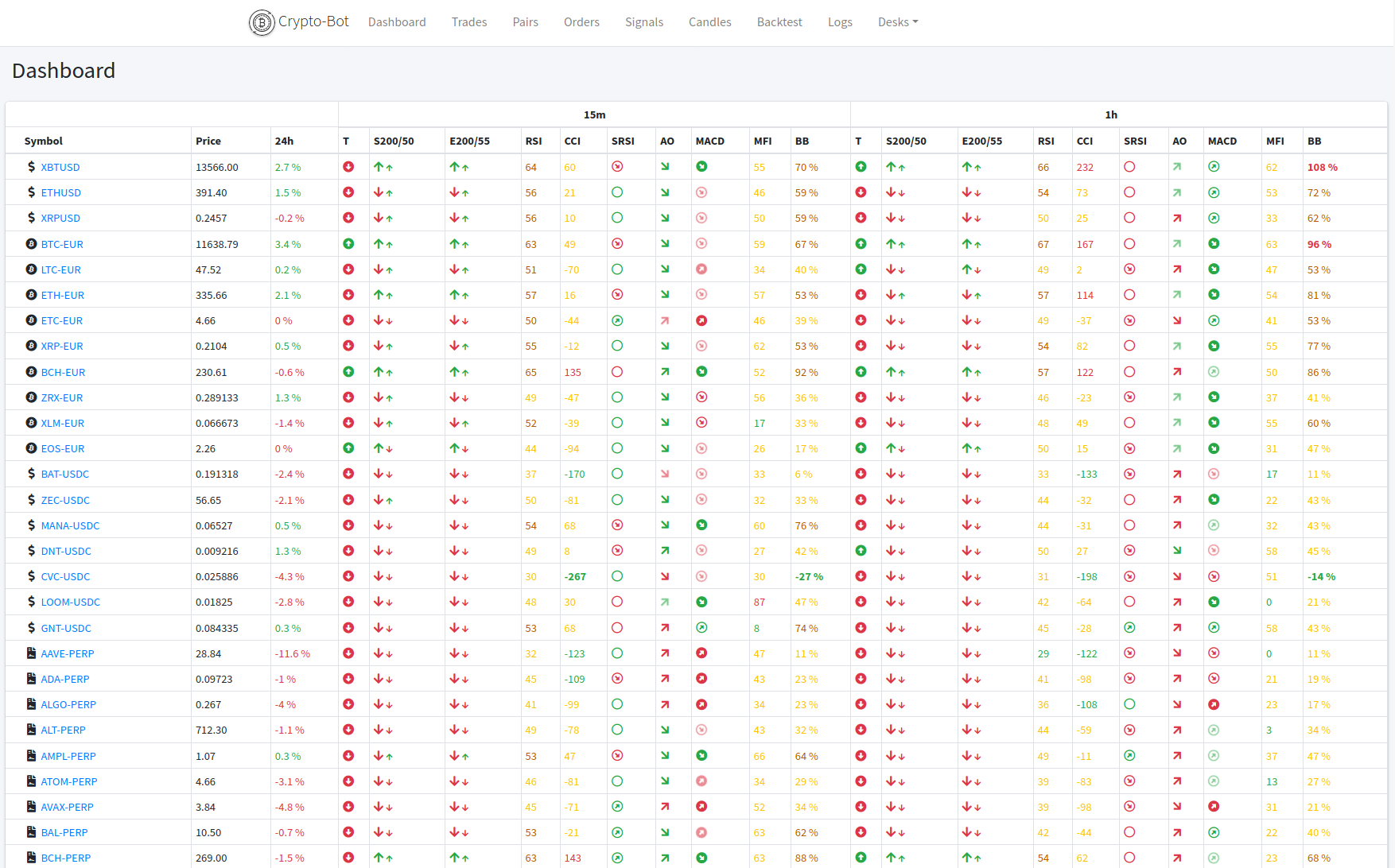
Dashboard
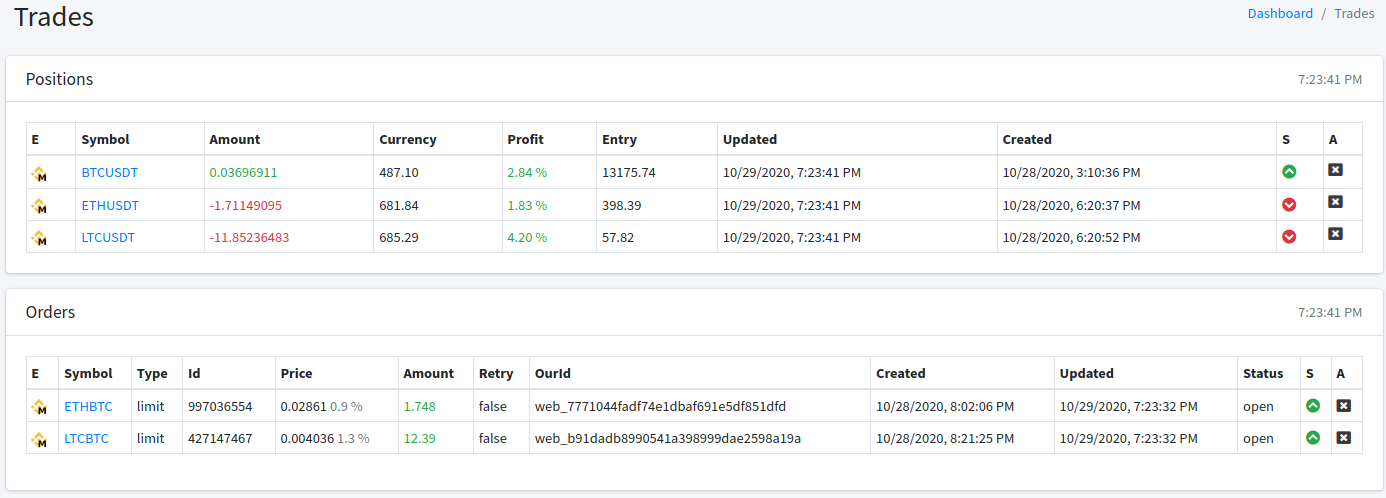
Trades / Positions / Orders
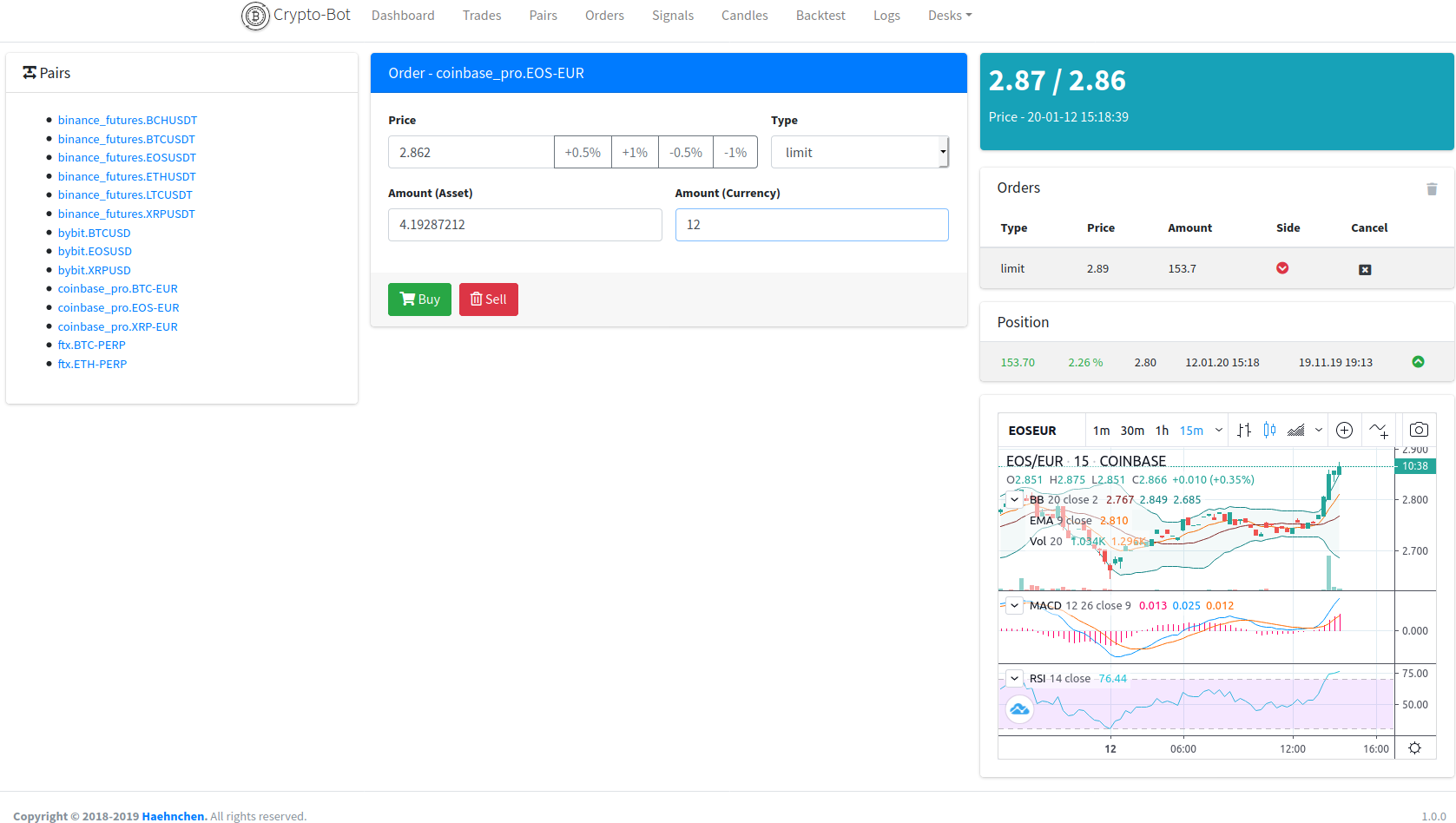
Manual Orders
Build In Strategies
Common strategy with indicators are inside, which most of the time are not profitable. See some more advanced strategy in the list below
- dip_catcher
- dca_dipper - Long term invest Dollar-Cost Averaging (DCA) Dip Investor Strategy
Find some example strategies inside src/strategy/strategies
Custom Strategies
For custom strategies use var/strategies folder.
# simple file structure
var/strategies/your_strategy.js

# or wrap strategy into any sub folder depth
var/strategies/my_strategy/my_strategy.js
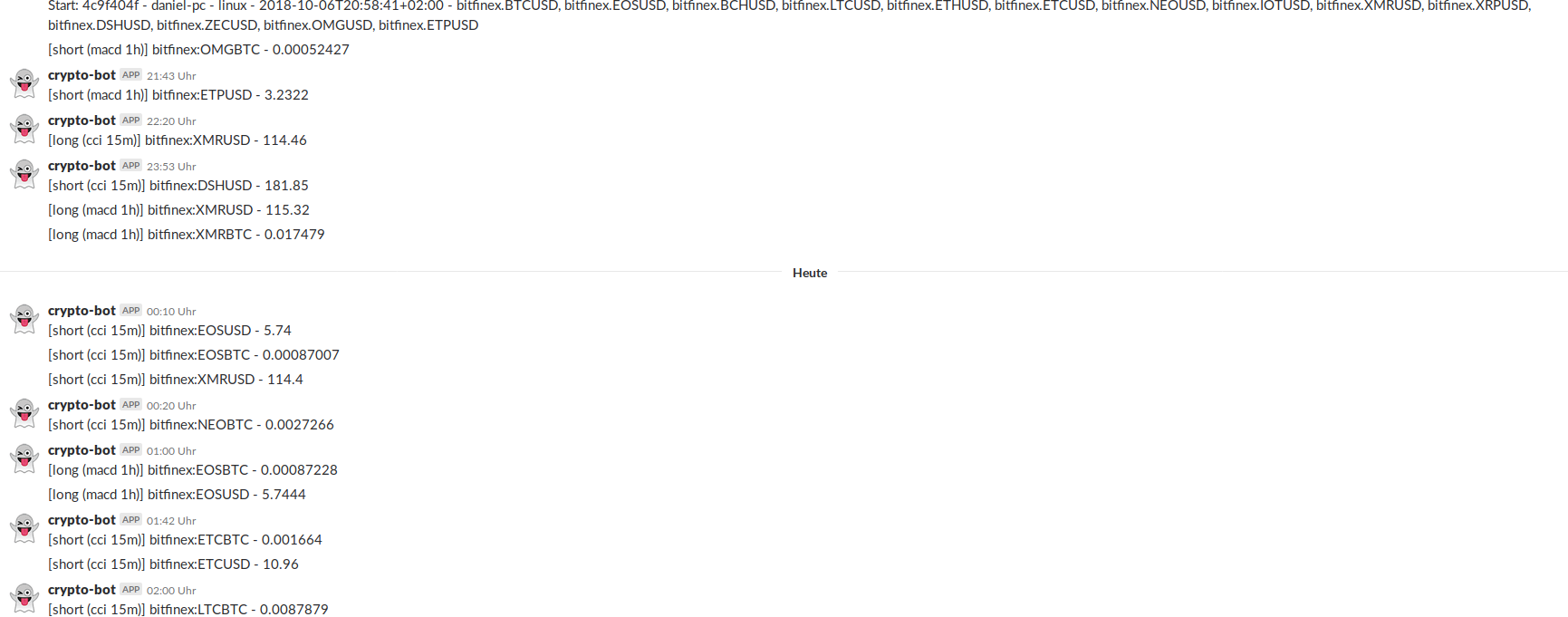
Signals
Slack
Tests
npm test
Security / Authentication
As the webserver provides just basic auth for access you should combine some with eh a https for public server. Here s simple proxy_pass for nginx.
# /etc/nginx/sites-available/YOURHOST
server {
    server_name YOURHOST;

    location / {
        proxy_pass http://127.0.0.1:8080;
    }

    listen 443 ssl; # managed by Certbot
    ssl_certificate /etc/letsencrypt/live/YOURHOST/fullchain.pem; # managed by Certbot
    ssl_certificate_key /etc/letsencrypt/live/YOURHOST/privkey.pem; # managed by Certbot
    include /etc/letsencrypt/options-ssl-nginx.conf; # managed by Certbot
    ssl_dhparam /etc/letsencrypt/ssl-dhparams.pem; # managed by Certbot
}
Setting Up Telegram Bot
First, you'll need to create a bot for Telegram. Just talk to BotFather and follow simple steps until it gives you a token for it. You'll also need to create a Telegram group, the place where you and crypto-trading-bot will communicate. After creating it, add the bot as administrator (make sure to uncheck "All Members Are Admins").
Retrieving Chat IDs
Invite @RawDataBot to your gr