solana-trading-bot
Solana Trading Bot - Beta
System Structure
저장소별 전략/실행 조건 확인 필요
거래소 API 기반 자동 주문 실행
Editor Summary저장소 설명과 공개 메타데이터 기준으로 암호화폐 거래 봇 성격의 프로젝트로 파악했습니다. 확인 근거는 README, 저장소 토픽, 저장소 설명, GitHub 지표, 파이프라인 필드이며, 주요 데이터는 암호화폐 거래소 시장 데이터, OHLCV/호가/체결 데이터입니다. 전략/실행 조건은 저장소별 문서와 코드 확인이 필요하며, 실행 방식은 "거래소 API 기반 자동 주문 실행"라고 보수적으로 기록했습니다. GitHub 지표는 별 2327개, 포크 1001개입니다.
| Repository | warp-id/solana-trading-bot |
|---|---|
| Creator | warp-id |
| Stars / Forks | ★ 2327 / 1001 |
| License | MS-PL |
| Last Updated | 2024-08-10 |
| Snapshot Date | 2026-07-08 (README below is a copy from this date) |
This is third-party open-source code. QuantField does not guarantee its behavior or safety. Review the code before installing or running it.
README
Solana Trading Bot (Beta)
The Solana Trading Bot is a software tool designed to automate the buying and selling of tokens on the Solana blockchain. It is configured to execute trades based on predefined parameters and strategies set by the user.
The bot can monitor market conditions in real-time, such as pool burn, mint renounced and other factors, and it will execute trades when these conditions are fulfilled.
Setup
To run the script you need to:
- Create a new empty Solana wallet
- Transfer some SOL to it.
- Convert some SOL to USDC or WSOL.
- You need USDC or WSOL depending on the configuration set below.
- Configure the script by updating
.env.copyfile (remove the .copy from the file name when done).- Check Configuration section bellow
- Install dependencies by typing:
npm install - Run the script by typing:
npm run startin terminal
You should see the following output: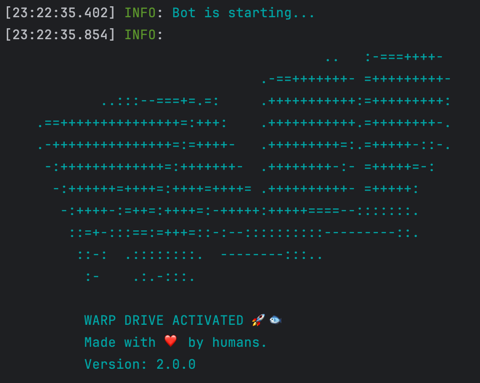
Configuration
Wallet
PRIVATE_KEY- Your wallet's private key.
Connection
RPC_ENDPOINT- HTTPS RPC endpoint for interacting with the Solana network.RPC_WEBSOCKET_ENDPOINT- WebSocket RPC endpoint for real-time updates from the Solana network.COMMITMENT_LEVEL- The commitment level of transactions (e.g., "finalized" for the highest level of security).
Bot
LOG_LEVEL- Set logging level, e.g.,info,debug,trace, etc.ONE_TOKEN_AT_A_TIME- Set totrueto process buying one token at a time.COMPUTE_UNIT_LIMIT- Compute limit used to calculate fees.COMPUTE_UNIT_PRICE- Compute price used to calculate fees.PRE_LOAD_EXISTING_MARKETS- Bot will load all existing markets in memory on start.- This option should not be used with public RPC.
CACHE_NEW_MARKETS- Set totrueto cache new markets.- This option should not be used with public RPC.
TRANSACTION_EXECUTOR- Set towarpto use warp infrastructure for executing transactions, or set it to jito to use JSON-RPC jito executer- For more details checkout warp section
CUSTOM_FEE- If using warp or jito executors this value will be used for transaction fees instead ofCOMPUTE_UNIT_LIMITandCOMPUTE_UNIT_LIMIT- Minimum value is 0.0001 SOL, but we recommend using 0.006 SOL or above
- On top of this fee, minimal solana network fee will be applied
Buy
QUOTE_MINT- Which pools to snipe, USDC or WSOL.QUOTE_AMOUNT- Amount used to buy each new token.AUTO_BUY_DELAY- Delay in milliseconds before buying a token.MAX_BUY_RETRIES- Maximum number of retries for buying a token.BUY_SLIPPAGE- Slippage %
Sell
AUTO_SELL- Set totrueto enable automatic selling of tokens.- If you want to manually sell bought tokens, disable this option.
MAX_SELL_RETRIES- Maximum number of retries for selling a token.AUTO_SELL_DELAY- Delay in milliseconds before auto-selling a token.PRICE_CHECK_INTERVAL- Interval in milliseconds for checking the take profit and stop loss conditions.- Set to zero to disable take profit and stop loss.
PRICE_CHECK_DURATION- Time in milliseconds to wait for stop loss/take profit conditions.- If you don't reach profit or loss bot will auto sell after this time.
- Set to zero to disable take profit and stop loss.
TAKE_PROFIT- Percentage profit at which to take profit.- Take profit is calculated based on quote mint.
STOP_LOSS- Percentage loss at wh